
The Complete Guide to Security Systems for Commercial Properties
The Essential Role of Commercial Property Security Cameras
Commercial properties lose more to theft, vandalism, and liability claims than most owners realize until it happens to them. Construction sites lose equipment and copper overnight. Retail lots see break-ins climb during expansion phases when new construction sits half-lit and unmonitored. Warehouses and distribution centers face organized theft rings that scout facilities for weeks before acting.
The right security system isn’t just cameras on a wall. It’s a combination of hardware, monitoring, and process that’s matched to your actual risk — and increasingly, it doesn’t require permanent infrastructure to do it well. This guide walks through how to think about commercial security from the ground up: what the core components are, when you need more than the basics, what results look like in practice, and what the law requires along the way.
I’m Chris Edens. My background is in the U.S. Army, and I’ve spent the years since working on the commercial side of physical security — helping property owners and facility managers figure out what they actually need versus what a sales rep wants to sell them. Most of what follows comes from site assessments across construction, retail, warehousing, and municipal properties, not a vendor spec sheet.
Start With Your Actual Risk, Not a Generic Checklist
Every industry has a different threat profile, and a system designed for a retail parking lot doesn’t map cleanly onto a construction site or a distribution warehouse.
Construction sites are the most volatile: equipment, copper wiring, and fuel are highly targeted, and the risk profile changes every few weeks as the site itself changes shape. A camera position that covered the whole perimeter during groundbreaking may be useless once framing goes up.
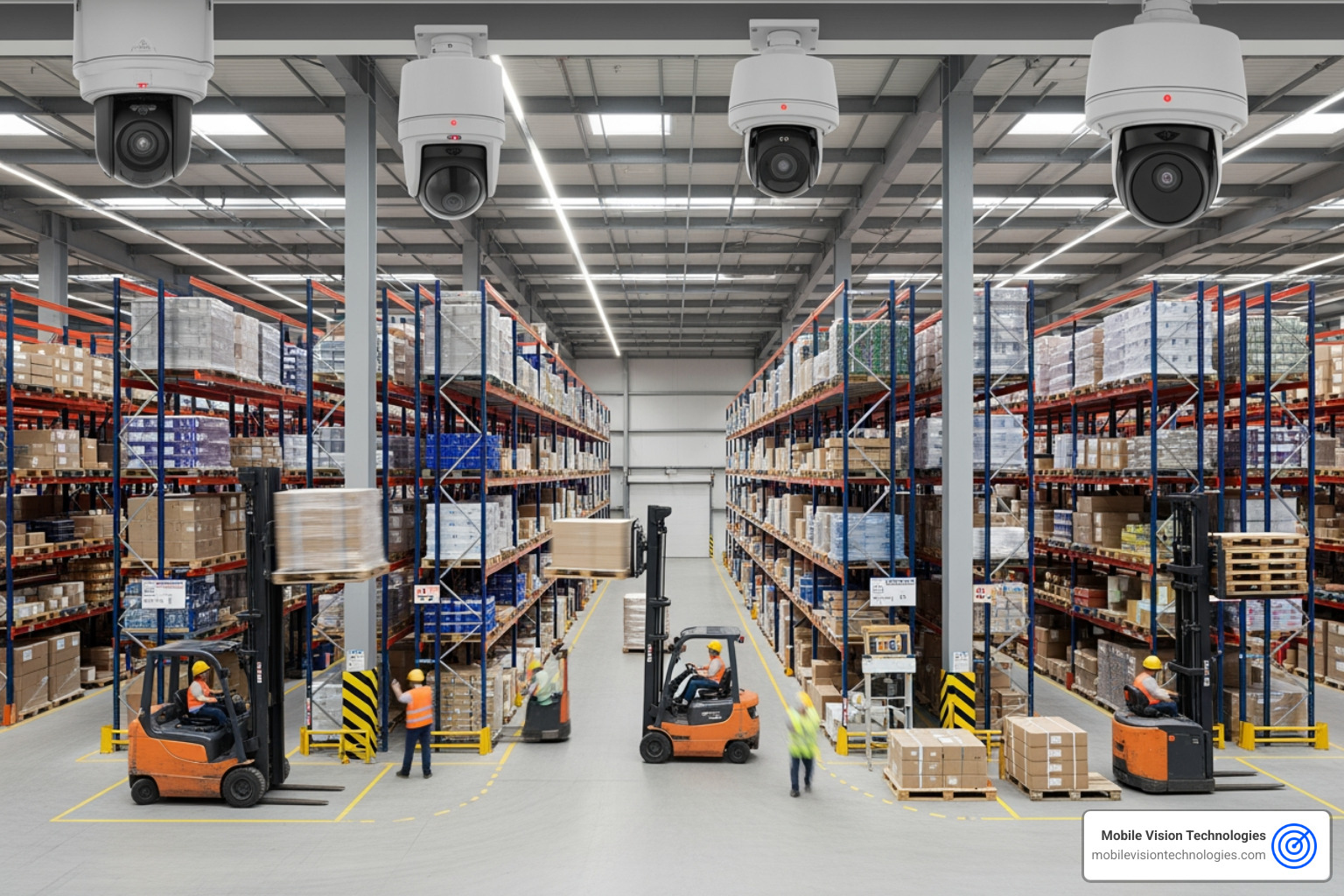
Warehouses and distribution centers deal with a different problem — organized retail crime and cargo theft, often targeting loading docks and staging areas during shift changes when activity is high and attention is split.
Parking lots and multi-tenant properties see a mix of opportunistic vehicle break-ins and, in under-lit or newly developed areas, more serious incidents. Visibility and deterrence matter as much as recording. Businesses managing several sites at once face a related but distinct challenge — see our multi-location security solutions page for how centralized monitoring works across properties.
Retail and municipal infrastructure face a wider mix — shoplifting, after-hours break-ins, and in some regions, targeted equipment theft. In one Gulf Coast market we’ve worked in, a single arrest cleared 76 linked burglaries totaling roughly $150,000 in stolen tools and equipment — a reminder that a lot of “unrelated” break-ins in a region are often the same actors working a route. Copper theft from HVAC units and vacant or partially built structures follows the same pattern: opportunistic, repeat-offender driven, and very preventable with visible deterrence.
The point isn’t to memorize crime statistics — it’s to recognize that your system should be designed around your property’s specific exposure, not a one-size-fits-all package.
The Core Components of a Commercial Security System
Cameras: Wired vs. Wireless
| Wired (PoE) | Wireless | |
|---|---|---|
| Reliability | Most stable, no signal interference | Dependent on Wi-Fi/cellular signal strength |
| Installation | Requires cable runs, more labor-intensive | Fast to deploy, minimal infrastructure |
| Best for | Permanent facilities with existing infrastructure | Temporary sites, changing layouts, no existing wiring |
| Power | Powered over Ethernet cable | Battery, solar, or plug-in |
| Scalability | Harder to reposition once installed | Easy to relocate as needs change |
For active construction sites, expanding lots, or any property where the layout will change, wireless and mobile solutions typically win — you’re not paying to run cable to a location that won’t exist in the same form in three months.
Storage: Where Your Footage Actually Lives
- NVR (Network Video Recorder): Stores footage from IP cameras on a local network device. Good balance of control and reliability.
- DVR (Digital Video Recorder): Works with analog cameras, generally the older/lower-cost option.
- On-board storage: Footage stored directly on the camera (SD card). Useful as a backup or for standalone units.
- Cloud storage: Off-site, accessible remotely, and protected if a physical unit is damaged or stolen — but ongoing subscription cost.
- Hybrid: Local storage for immediate access plus cloud backup for redundancy. This is what we recommend for most commercial clients — if someone disables or steals the on-site unit, you don’t lose the evidence with it.
How Many Cameras Do You Actually Need?
There’s no universal number — it depends on square footage, number of entry points, and blind spots created by the property’s layout. A reasonable starting framework:
- Cover every entry and exit point, including secondary/emergency exits
- Cover parking areas and loading docks separately from the building perimeter
- Overlap coverage at high-value zones (equipment yards, cash handling areas, server rooms) so no single camera is a point of failure
- Reassess coverage any time the physical layout changes — this is especially relevant for active construction sites
When Standard Systems Aren’t Enough: Advanced Protection
Most commercial properties are well served by cameras, access control, and monitored alarms. But for higher-risk facilities — government buildings, critical infrastructure, high-value distribution centers — the security conversation goes further.
Hostile Vehicle Mitigation (HVM): Modern vehicle barriers are no longer the heavy, permanently-installed bollards people picture. Portable-rated units now exist that can stop a 16,500 lb truck while weighing as little as 53 lbs themselves, and require zero ongoing maintenance — making them viable for temporary event security and high-risk site perimeters, not just embassies and airports.
Zero Trust Architecture (ZTA): On the access-control and digital side, the security model has shifted from “verify once at the door” to continuous verification — aligned with frameworks like NIST SP 800-63 for digital identity. In practice, this means access credentials and camera network access are continuously validated rather than trusted indefinitely after one login.
Biometric access control: Facial and fingerprint authentication (the same category of technology behind Face ID and Touch ID) has reached false-match rates low enough for serious commercial deployment, and is increasingly common at facilities that also carry sensitive-compartmented-information certifications like UL 2050. This sits at the high end of what’s available through our access control systems — most commercial properties need something considerably simpler, but it’s worth knowing the ceiling exists.
Most properties won’t need HVM barriers or SCIF-grade certification — but knowing this tier exists helps frame where your facility sits on the risk spectrum, and what to ask for if your insurer, government contract, or corporate security policy requires more than a standard camera-and-alarm setup.
What Results Actually Look Like
Security investments are easy to justify in the abstract and hard to justify with a number attached — so here’s what we’ve seen in practice across client types:
- A retail/multi-tenant property saw a 70% decrease in parking lot incidents after adding visible mobile camera coverage to previously dark, unmonitored areas.
- A retail client reduced grab-and-go theft by 69% after pairing camera coverage with active monitoring and on-site alerts.
- A residential/mixed-use property saw a 55% decrease in burglaries following camera deployment at entry points and common areas.
- A municipal client cut off-duty police staffing hours by 66% by shifting routine patrol coverage to remote camera monitoring, redirecting officer time to higher-priority calls.
- A distribution center recorded zero thefts and zero fence breaches in the twelve months following a full perimeter camera and access-control deployment.
- A construction client estimated $10,000 per month in savings from reduced equipment loss and insurance claims after adding mobile surveillance trailers to an active job site.
- A recycling facility fire that affected roughly 200,000 residents over the following year underscored a less obvious value of surveillance: camera footage that helps establish cause and timeline after an incident, not just before one.
The common thread across all of these: results came from combining people, process, and technology — cameras alone don’t move these numbers. Monitoring protocols, alert response times, and how quickly footage gets reviewed matter as much as the hardware.
Legal Considerations Before You Install
Security cameras are broadly legal on your own commercial property, but a few areas require care:
- Audio recording: Many states require two-party consent for recording audio (not just video). If your cameras capture audio, check your state’s wiretapping laws before deploying — this is one of the most commonly overlooked compliance gaps.
- Employee notification: In workplaces, employees generally need to be notified that they may be recorded, particularly in states with stronger workplace privacy protections.
- Restricted areas: Restrooms, locker rooms, and other areas with a reasonable expectation of privacy should never be under camera coverage, regardless of your reason.
- Safety compliance documentation: In industrial and manufacturing settings, footage can also serve as evidence of compliance with workplace safety standards like those enforced by OSHA — for example, documenting PPE use or machine-guarding protocols in the event of an inspection or incident.
Self-Monitoring vs. Professional Monitoring
| Self-Monitored | Professionally Monitored | |
|---|---|---|
| Cost | Lower ongoing cost | Monthly monitoring fee |
| Response | Depends on you noticing an alert | Trained operators respond to every alert |
| Best for | Small properties, budget-conscious owners who can respond quickly | Larger properties, remote sites, or anywhere a fast, consistent response matters |
Professional monitoring is generally worth the added cost for any property where a delayed response has real consequences — active job sites, remote lots, or facilities without staff on-site overnight. If you’d rather not manage the system yourself, our installation, maintenance & monitoring services cover setup, upkeep, and live monitoring in one package.
Why Mobile Surveillance Changes the Calculus
Everything above assumes you’re choosing between fixed camera systems — but for construction sites, parking lots, event security, and any property where the layout will change or permanent infrastructure isn’t practical, mobile surveillance solves a problem fixed systems can’t: you shouldn’t have to run conduit and pull permits to protect a site you’ll be done with in six months.
Solar-powered, cellular-connected mobile surveillance trailers deploy in days, reposition as your site’s risk areas shift, and deliver the same AI-powered detection, remote monitoring, and access control capabilities as a permanent installation — without the infrastructure commitment. See our mobile trailer camera systems, AI-powered video surveillance, and alarm & intrusion detection pages for what’s available, or see how this plays out for construction sites, parking lots, and warehouses specifically.
Get a System Built for Your Property
There’s no universal commercial security package — the right system depends on your industry, your layout, and how your risk changes over time. Request a free quote and our team will assess your site and recommend a configuration built around your actual exposure, not a generic bundle — starting with our mobile video surveillance options if you need coverage without permanent infrastructure.